Building a Financial Scenario Analysis Engine With Python
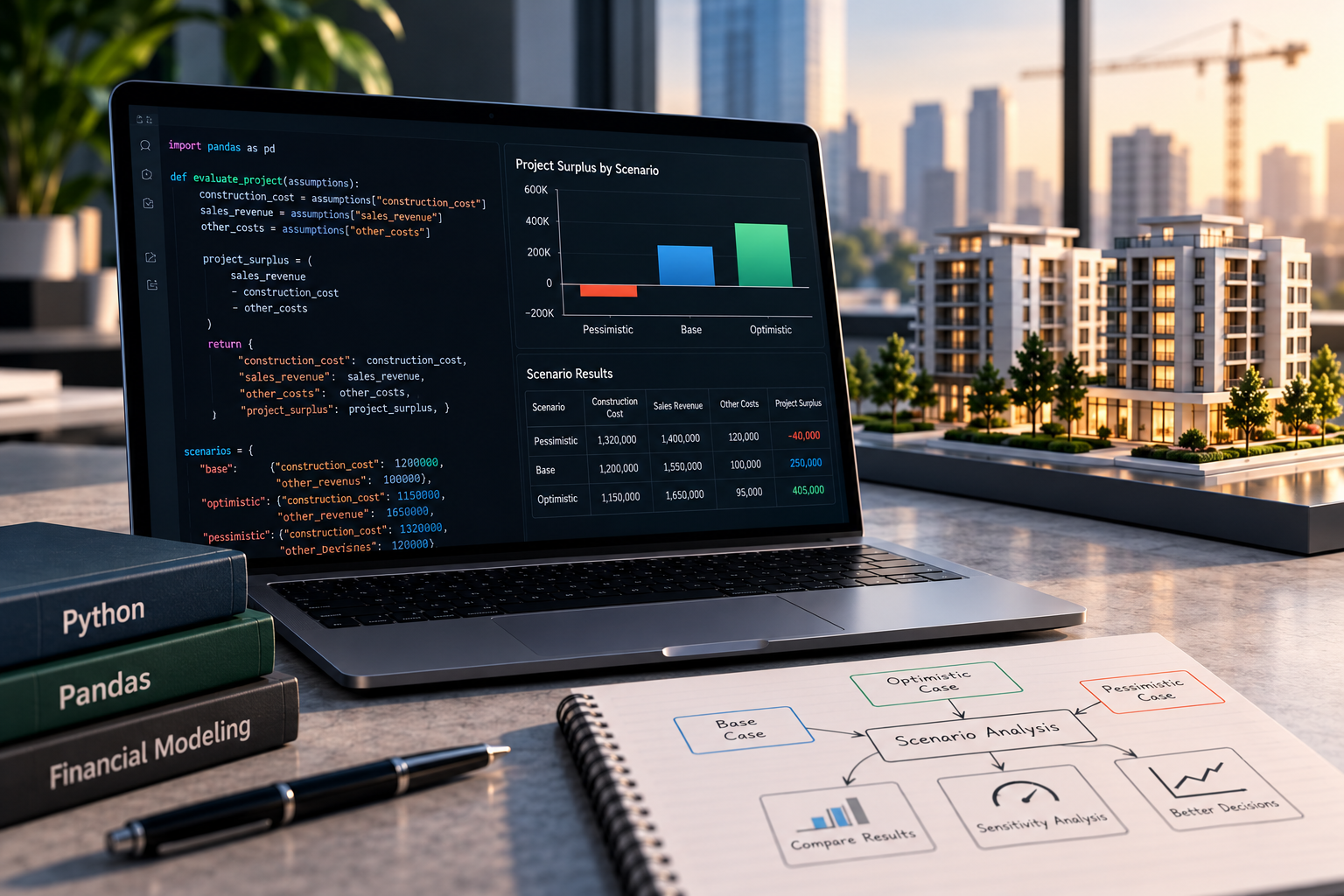
Financial applications rarely work with a single set of assumptions. A project forecast may depend on construction costs, sales prices, delivery dates, and collection schedules, all of which can change over time.
A common first approach is to duplicate a spreadsheet for each scenario. Although this is easy to start with, it creates maintenance problems as the number of assumptions grows. Each copy can develop its own formulas, and comparing outputs becomes increasingly difficult.
A more maintainable approach is to separate the assumptions from the calculation logic. A scenario engine can accept a set of inputs, run the same calculation for each scenario, and return comparable outputs in a consistent structure.
In this tutorial, we'll build a small scenario analysis engine using Python and pandas. The example uses a simplified development project, but the underlying pattern also applies to pricing tools, budgeting systems, investment analysis, and other applications that evaluate alternative inputs.
1. Define the baseline model
Suppose a project has the following baseline assumptions:
- Construction cost: $1,200,000
- Expected sales revenue: $1,550,000
- Other project costs: $100,000
For this example, we will calculate a simplified project surplus:
[ \text{Project Surplus}
\text{Sales Revenue}
\text{Construction Cost}
\text{Other Costs} ]
The baseline surplus is $250,000.
This is not a full investment-return calculation. It excludes timing, financing, taxes, and discounting. The purpose is to demonstrate the architecture of a scenario engine before introducing more complex financial logic.
Let's represent the baseline assumptions as a Python dictionary.
base_case = {
    "construction_cost": 1_200_000,
    "sales_revenue": 1_550_000,
    "other_costs": 100_000,
}
The dictionary contains data rather than calculation rules. This distinction allows us to change assumptions without rewriting the function that evaluates them.
2. Build a calculation function
The calculation function should accept a set of assumptions and return the derived outputs.
def evaluate_project(assumptions):
    construction_cost = assumptions["construction_cost"]
    sales_revenue = assumptions["sales_revenue"]
    other_costs = assumptions["other_costs"]

    project_surplus = (
        sales_revenue
        - construction_cost
        - other_costs
    )

    return {
        "construction_cost": construction_cost,
        "sales_revenue": sales_revenue,
        "other_costs": other_costs,
        "project_surplus": project_surplus,
    }
The function has one responsibility: evaluate a supplied set of assumptions. It does not decide whether those assumptions represent an optimistic or pessimistic scenario.
This separation makes the calculation easier to test and reuse. The same function can evaluate a baseline forecast, a downside case, or hundreds of generated combinations.
We can run the baseline:
base_result = evaluate_project(base_case)

print(base_result)
Expected output:
{
    "construction_cost": 1200000,
    "sales_revenue": 1550000,
    "other_costs": 100000,
    "project_surplus": 250000,
}
For a production system, we would also validate the inputs, check for missing values, and define the supported numeric types. We will add basic validation shortly.
3. Represent scenarios as data
A scenario should describe how its assumptions differ from the baseline.
For example, the optimistic case might assume stronger sales revenue and lower construction costs, while the pessimistic case might assume weaker sales and cost overruns.
scenarios = {
    "base": {
        "construction_cost": 1_200_000,
        "sales_revenue": 1_550_000,
        "other_costs": 100_000,
    },
    "optimistic": {
        "construction_cost": 1_150_000,
        "sales_revenue": 1_650_000,
        "other_costs": 95_000,
    },
    "pessimistic": {
        "construction_cost": 1_320_000,
        "sales_revenue": 1_400_000,
        "other_costs": 120_000,
    },
}
These are illustrative assumptions rather than predictions. A scenario engine does not establish which case is most likely. It calculates the consequences of the assumptions it receives.
The key design decision is that every scenario uses the same input structure. This avoids writing a separate calculation function for every possible case.
4. Evaluate every scenario consistently
We can iterate through the scenario definitions and run the same calculation function for each one.
def evaluate_scenarios(scenarios):
    results = []

    for scenario_name, assumptions in scenarios.items():
        result = evaluate_project(assumptions)

        result["scenario"] = scenario_name
        results.append(result)

    return results
The function returns a list of dictionaries. Each dictionary contains the original assumptions, the calculated surplus, and the scenario name.
Let's run the engine:
results = evaluate_scenarios(scenarios)

for result in results:
    print(
        result["scenario"],
        result["project_surplus"],
    )
Expected output:
base 250000
optimistic 405000
pessimistic -40000
The output shows that the baseline produces a surplus of $250,000, the optimistic case produces $405,000, and the pessimistic case produces a deficit of $40,000.
These differences arise entirely from the supplied assumptions. The engine does not need to know why sales revenue changed or why construction costs increased; those explanations belong to the scenario definition and the business logic surrounding it.
5. Convert results into a pandas DataFrame
A list of dictionaries is easy to create, but a DataFrame is more convenient for comparison, filtering, reporting, and charting.
import pandas as pd

results_df = pd.DataFrame(
    evaluate_scenarios(scenarios)
)

results_df = results_df[
    [
        "scenario",
        "construction_cost",
        "sales_revenue",
        "other_costs",
        "project_surplus",
    ]
]

print(results_df)
The resulting table provides a consistent view of all scenarios.
| Scenario | Construction cost | Sales revenue | Other costs | Project surplus |
|---|---|---|---|---|
| base | $1,200,000 | $1,550,000 | $100,000 | $250,000 |
| optimistic | $1,150,000 | $1,650,000 | $95,000 | $405,000 |
| pessimistic | $1,320,000 | $1,400,000 | $120,000 | -$40,000 |
The table makes the outputs comparable without requiring separate reports for each scenario.
In a larger application, the same DataFrame could be sent to a reporting layer, serialized for an API response, or used as input to a visualization component.
6. Add validation at the input boundary
Scenario engines should reject malformed inputs before performing calculations. Otherwise, missing keys or invalid numeric values may produce confusing failures later in the process.
We can add a validation function:
from math import isfinite


REQUIRED_FIELDS = {
    "construction_cost",
    "sales_revenue",
    "other_costs",
}


def validate_assumptions(assumptions):
    missing = REQUIRED_FIELDS - assumptions.keys()

    if missing:
        raise ValueError(
            f"Missing assumptions: {sorted(missing)}"
        )

    for field in REQUIRED_FIELDS:
        value = assumptions[field]

        if isinstance(value, bool) or not isinstance(
            value, (int, float)
        ):
            raise ValueError(
                f"{field} must be numeric"
            )

        if not isfinite(value):
            raise ValueError(
                f"{field} must be finite"
            )

        if value < 0:
            raise ValueError(
                f"{field} cannot be negative"
            )
Now update the evaluator so that validation happens before calculation.
def evaluate_project(assumptions):
    validate_assumptions(assumptions)

    construction_cost = assumptions["construction_cost"]
    sales_revenue = assumptions["sales_revenue"]
    other_costs = assumptions["other_costs"]

    project_surplus = (
        sales_revenue
        - construction_cost
        - other_costs
    )

    return {
        "construction_cost": construction_cost,
        "sales_revenue": sales_revenue,
        "other_costs": other_costs,
        "project_surplus": project_surplus,
    }
This boundary is a useful place to enforce the model's input contract. The current validation rules are specific to this example; a real financial application may allow negative revenue adjustments, signed cash flows, or additional numeric types.
Validation rules should reflect the intended model rather than being copied blindly between applications.
7. Measure the effect of each assumption
Comparing named scenarios is useful, but it does not necessarily reveal which individual assumption drives the result.
A simple sensitivity analysis changes one input while keeping the others fixed. This isolates the effect of that input under the chosen baseline assumptions.
For example, let's evaluate the project at several construction-cost levels.
def construction_cost_sensitivity(
    base_assumptions,
    cost_factors,
):
    rows = []

    for factor in cost_factors:
        assumptions = base_assumptions.copy()

        assumptions["construction_cost"] = (
            base_assumptions["construction_cost"] * factor
        )

        result = evaluate_project(assumptions)

        rows.append(
            {
                "cost_factor": factor,
                "construction_cost": (
                    assumptions["construction_cost"]
                ),
                "project_surplus": (
                    result["project_surplus"]
                ),
            }
        )

    return pd.DataFrame(rows)
Run the sensitivity analysis:
sensitivity_df = construction_cost_sensitivity(
    base_case,
    [0.90, 0.95, 1.00, 1.05, 1.10, 1.15],
)

print(sensitivity_df)
The output shows how the calculated surplus changes as construction costs move from 90% to 115% of the baseline budget.
Because the simplified formula subtracts construction costs directly, every additional dollar of construction cost reduces project surplus by one dollar, assuming all other inputs remain unchanged.
That relationship is mathematically straightforward in this model. More complex models may have nonlinear relationships because of financing costs, tax rules, discounting, or timing effects.
Sensitivity analysis does not predict which input will change. It shows how the output responds if a specified input changes while the others remain fixed.
8. Test the scenario engine
The calculation function should be tested independently from the code that creates tables or displays results.
Using pytest, we can verify the baseline calculation, the scenario comparison, and input validation.
import pytest

from scenario_engine import (
    evaluate_project,
    evaluate_scenarios,
)


def test_baseline_project_surplus():
    assumptions = {
        "construction_cost": 1_200_000,
        "sales_revenue": 1_550_000,
        "other_costs": 100_000,
    }

    result = evaluate_project(assumptions)

    assert result["project_surplus"] == 250_000


def test_pessimistic_case_can_produce_a_deficit():
    assumptions = {
        "construction_cost": 1_320_000,
        "sales_revenue": 1_400_000,
        "other_costs": 120_000,
    }

    result = evaluate_project(assumptions)

    assert result["project_surplus"] == -40_000


def test_missing_assumption_is_rejected():
    assumptions = {
        "construction_cost": 1_200_000,
        "sales_revenue": 1_550_000,
    }

    with pytest.raises(ValueError):
        evaluate_project(assumptions)


def test_negative_construction_cost_is_rejected():
    assumptions = {
        "construction_cost": -1,
        "sales_revenue": 1_550_000,
        "other_costs": 100_000,
    }

    with pytest.raises(ValueError):
        evaluate_project(assumptions)


def test_scenarios_use_the_same_calculation():
    scenarios = {
        "base": {
            "construction_cost": 1_200_000,
            "sales_revenue": 1_550_000,
            "other_costs": 100_000,
        },
        "downside": {
            "construction_cost": 1_320_000,
            "sales_revenue": 1_400_000,
            "other_costs": 120_000,
        },
    }

    results = evaluate_scenarios(scenarios)

    assert results[0]["project_surplus"] == 250_000
    assert results[1]["project_surplus"] == -40_000
Save the engine in scenario_engine.py and the tests in test_scenario_engine.py. Run the suite with:
python -m pip install pytest pandas
python -m pytest -v
These tests establish that the core calculation behaves as expected for the supplied examples and that invalid inputs are rejected.
A production system should also test scenario names, empty scenario collections, numeric boundaries, and any additional calculation rules introduced into the model.
9. Design for extension
The main benefit of the scenario engine is that it separates assumptions from the calculations. That makes it easier to extend the model without duplicating the logic.
For example, a more complete development model could include monthly cash flows, financing costs, staged sales receipts, or a discount rate. Each scenario would supply its own assumptions, and the calculation layer would apply the same rules consistently.
The model could also be expanded to evaluate combinations of multiple inputs. Instead of manually defining three named scenarios, the application could generate a grid of construction-cost and sales-revenue combinations. That would make it possible to identify break-even conditions and compare a larger range of outcomes.
However, increasing the number of scenarios also increases the importance of validation and interpretation. A large number of calculated outputs is not automatically useful unless the assumptions are meaningful and the results are presented clearly.
Conclusion
A maintainable scenario analysis engine starts with a clear separation between inputs and calculations. By representing assumptions as structured data, evaluating each case through the same function, and using pandas to compare the outputs, developers can build financial applications that are easier to test and extend.
The example here uses a deliberately simple surplus calculation. Its architecture can support more sophisticated models, but each additional feature—such as dated cash flows, financing, or discounted returns—requires its own explicit assumptions and validation.
The central principle is simple: scenario differences should come from the data, not from duplicated calculation logic.
Comments
Join the discussionNo comments yet. Be the first to comment.